How SpokenPlan Works
From voice to organized notes in seconds — here's exactly what happens under the hood.
Record
One tap. That's it.
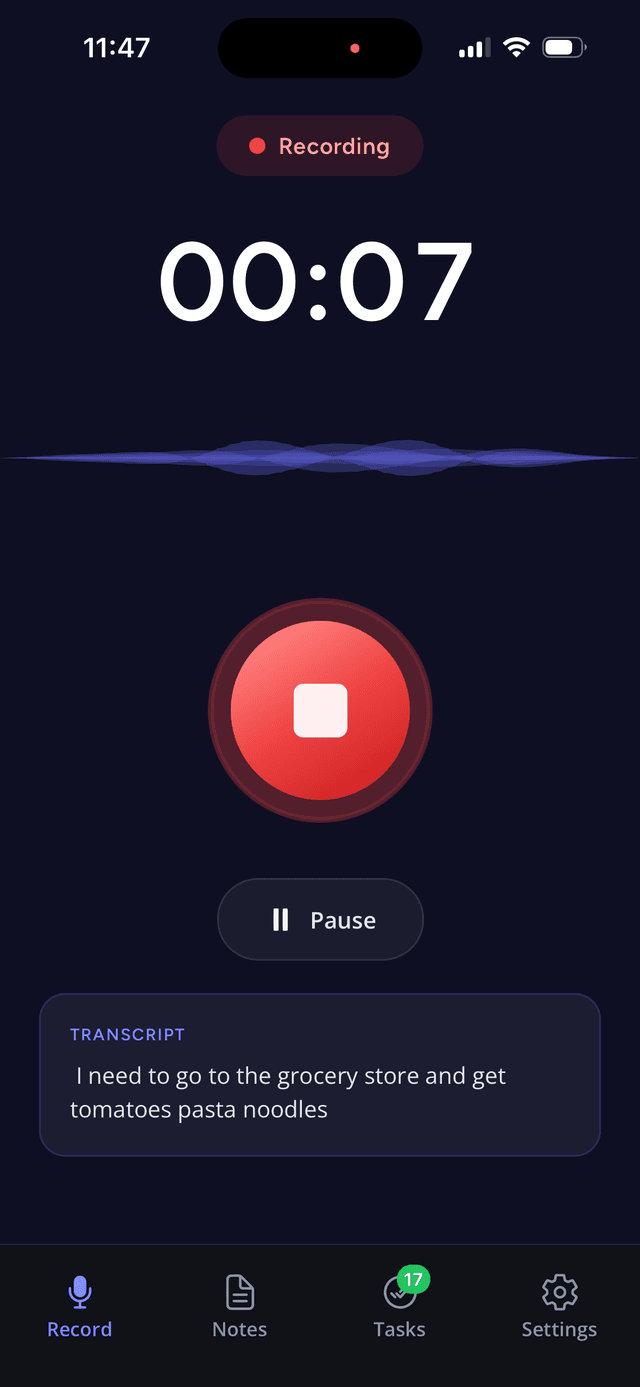
You tap the record button and start talking. SpokenPlan captures your audio with a real-time waveform visualizer so you can see your voice in motion. No account setup, no cloud connection, no configuration. Just press and speak.
- One-tap recording from the home screen
- Real-time waveform visualization
- Works offline — no internet required
- No setup, no permissions fuss
Recording interface
On-Device Transcription
Private. Fast. Free.
The moment you stop recording, Apple's SpeechAnalyzer framework converts your speech to text entirely on your iPhone. No audio is uploaded. No servers are involved. The transcription engine is the same one that powers Siri — it runs on the Neural Engine built into every modern iPhone.
- Powered by Apple SpeechAnalyzer (on-device Neural Engine)
- Audio never leaves your phone — true privacy
- Works without an internet connection
- Free and unlimited — no per-minute charges, ever
AI Processing
Your transcript becomes structured intelligence
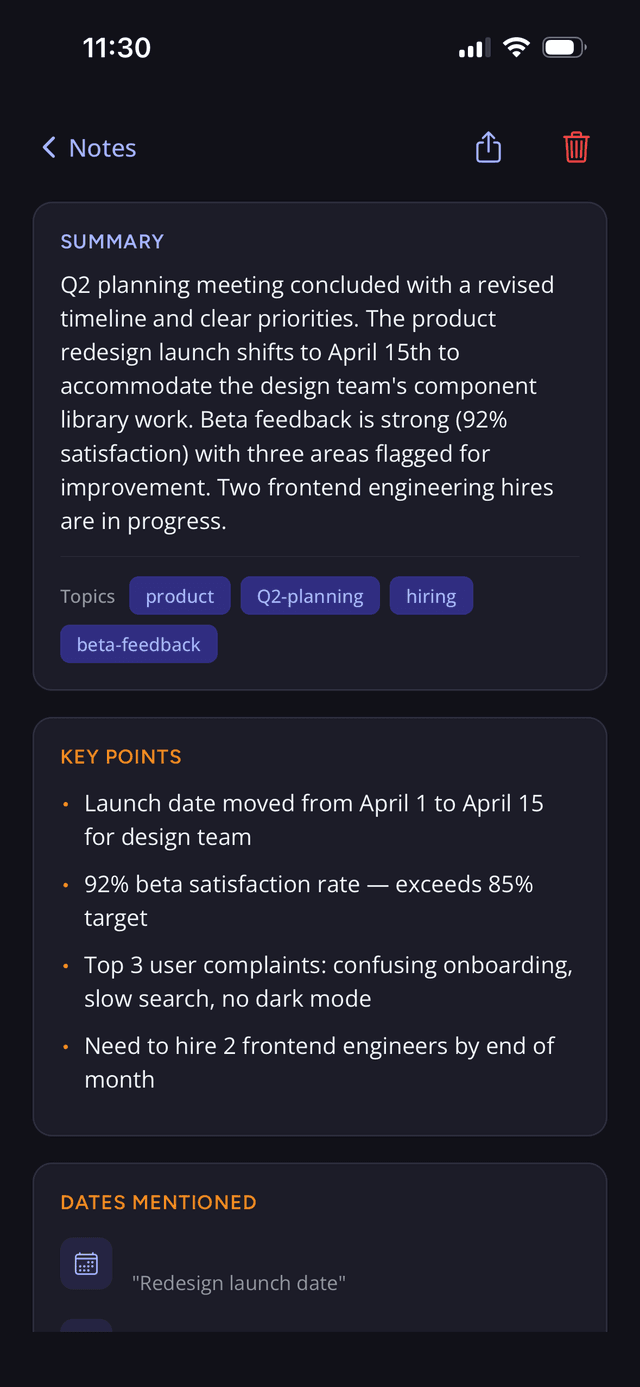
When you choose to summarize a note, only the transcript text — never the audio — is sent to our secure server. AI analyzes the text and returns four things in seconds: a concise summary, extracted to-dos, key points, and topic tags. Dated to-dos then flow straight into your Daily Planner — auto-sorted into Overdue, Today, Tomorrow, and the week ahead. You must explicitly tap “Summarize” to trigger any of this — nothing is sent automatically.
- Returns a summary, to-dos, key points, and topic tags in seconds
- Only transcript text is sent, never your audio recording
- You control when AI runs — nothing happens without your tap
- Cost-efficient processing — premium tier covers heavy use
What AI returns
Summary
Concise 2-3 sentence overview
To-Dos
Extracted to-dos as a checklist
Key Points
Important ideas highlighted
Topic Tags
Auto-generated categories
Privacy & Security
We designed SpokenPlan so your most personal data — your voice — stays on your device. Here is exactly what lives where.
Stays on your iPhone
Audio recordings
Your voice never leaves your device. Recordings are stored locally and are never uploaded to any server.
Transcription processing
Apple SpeechAnalyzer runs entirely on the Neural Engine in your iPhone. No cloud, no third parties.
Raw transcript text
The transcript is stored on your device. It is only sent to our server if you explicitly tap Summarize.
Cloud (only when you choose)
Transcript text for AI
When you tap Summarize, the text transcript is sent to our secure server for AI processing.
AI-generated results
Summaries, to-dos, key points, and tags are stored in your encrypted Supabase account so they sync across sessions.
Never stored permanently on AI servers
Our AI provider does not retain your data for training. Transcripts are processed and discarded — not stored on their servers.
The bottom line
Your voice recording and transcription happen 100% on-device. AI summarization only runs when you ask for it, and only the text transcript is sent — never your audio. You are always in control.
Try it yourself
Record, transcribe, and get your first 5 AI summaries free. No credit card. No commitment.
Free forever to record & transcribe. AI summaries included with Premium.